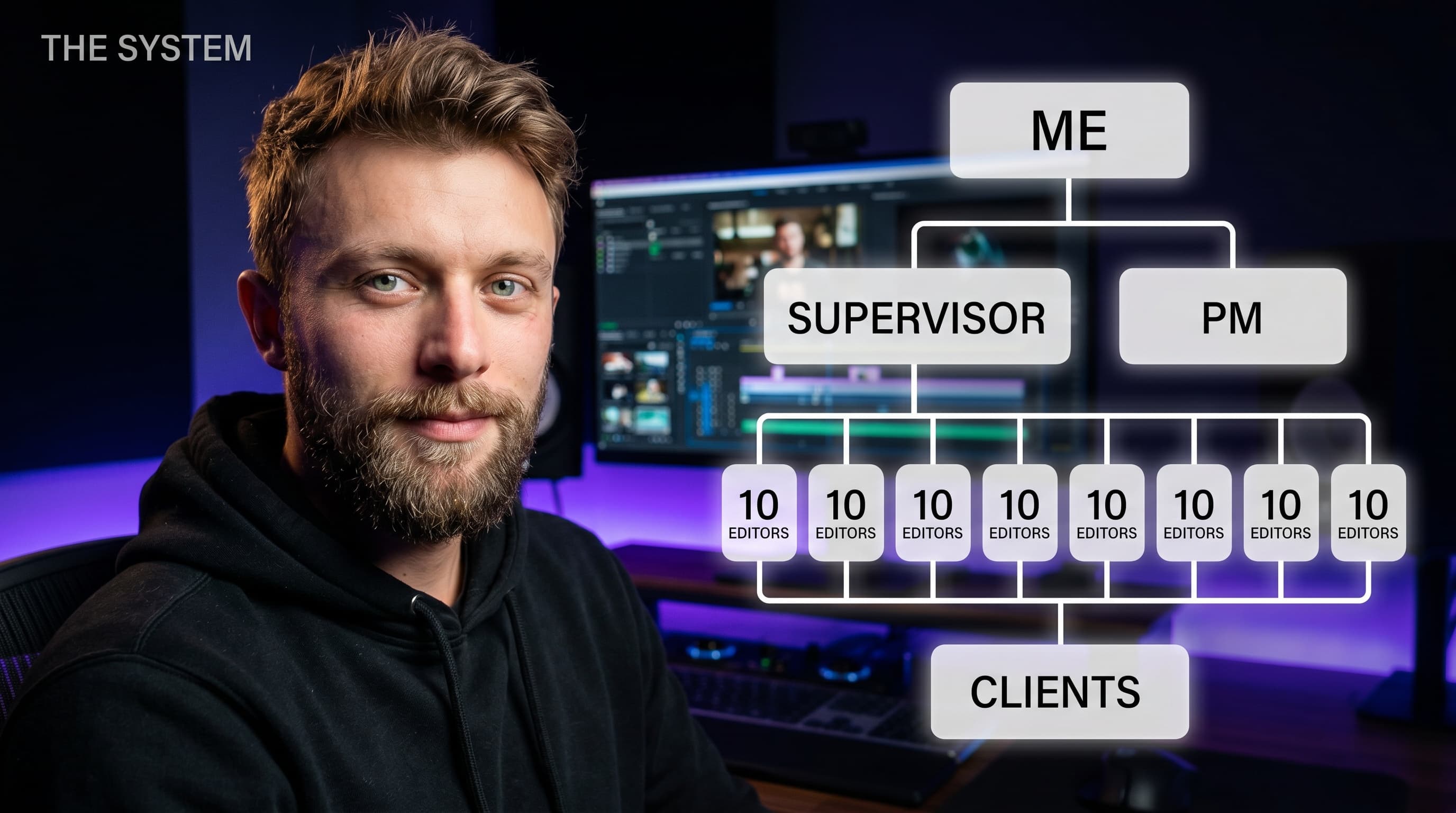
How to Scale a Video Editing Agency Without Losing Control
Scaling a video agency means more clients, more editors, and more chaos -unless you have the right systems. Learn how to grow without things falling apart.



The Scaling Challenge: What Breaks When You Go from 5 to 50 Clients
Running a video editing agency with a handful of clients feels manageable. You know every project by name, every editor by strength, and every client by preference. With 91% of businesses now using video as a marketing tool (Wyzowl) and video content production increasing 80% year-over-year since 2023 (HubSpot), demand is surging. It works - until it doesn't.
Somewhere between 10 and 20 clients, the cracks show. An editor delivers a cut to the wrong brand guidelines. A client emails asking for a status update you cannot answer without pinging three people. Invoices slip through the cracks because nobody is tracking which projects are actually profitable.
This is the scaling trap that every growing video editing agency faces. The workflows that got you to 10 clients actively prevent you from reaching 50. The average creative agency operates on 15–25% profit margins (Promethean Research), leaving little room for operational waste.
If you are still figuring out the fundamentals of managing video projects at scale, our complete guide to video project management software is a good place to start.

Pillar 1: Standardize Your Production Workflow
The single biggest bottleneck in a scaling agency is not creative talent - it is the absence of a repeatable production pipeline. When every project follows a slightly different path, you create invisible overhead that compounds with each new client.
Build a Universal Pipeline
Every project should move through the same core stages:
- Intake: Brief received, assets uploaded, project scoped. Capture requirements, brand guidelines, reference material, and deadlines in a single structured location.
- Assignment: Match the right editor to the project based on skill, availability, and brand familiarity.
- Editing: The editor works within a defined structure - knowing where to find assets, where to upload drafts, and what the revision expectations are.
- Internal Review: A senior editor or creative director reviews the cut before the client sees it. This catches quality issues early.
- Client Review: The client receives a clean review link with frame-accurate commenting.
- Revisions and Delivery: Feedback is actioned, versions tracked, and the final deliverable exported and archived.
When this pipeline is consistent, onboarding a new editor takes days instead of weeks. For a deeper dive into building efficient editing pipelines, see our guide on streamlining your video editing workflow.
Pillar 2: Systematize Client Communication
Most agencies lose clients not because of bad work, but because of poor communication. Companies that centralize their creative workflow report 35% higher client retention (Workamajig Benchmark). At scale, you cannot rely on manual check-ins.
Client Portals Over Email Threads
Email is where project context goes to die. Research from the Content Marketing Institute shows 67% of client-side marketers prefer a dedicated portal over email for content approvals. A proper content agency software setup gives each client a dedicated space to see active projects, review cuts, leave feedback, and track progress.
Approval Flows That Remove Ambiguity
“Looks good” in an email is not an approval. Structured approval workflows give clients a clear mechanism to sign off on deliverables, creating an auditable trail that protects both parties.
Automated Status Updates
Clients should not need to ask where their project stands. Automated notifications when a project moves between stages keep clients informed without adding work to your team's plate. This single change can cut inbound client emails by 40–60%.

Pillar 3: Track Editor Performance and Workload
You cannot scale what you cannot measure. Gut feelings about editor performance fail when you are managing a team of 15 across 40 active projects.
The KPIs That Actually Matter
- Revision rate per editor: The average video project goes through 3–5 revision rounds (Wistia). An editor who delivers clean first cuts is worth significantly more than one who needs three rounds.
- Turnaround time by project type: How long does a 60-second social cut take versus a 10-minute YouTube video? Accurate benchmarks let you set realistic deadlines and price projects properly.
- Utilization rate: Under 70% means you are overstaffed or under-selling. Over 90% means you are one sick day away from missing deadlines.
- Client satisfaction signals: Track approval speed, revision volume, and whether clients are expanding scope - these are leading indicators of retention.
Workload Visibility Prevents Burnout
When you can see every editor's current assignments, upcoming deadlines, and capacity at a glance, you stop overloading your best people and start distributing work intelligently. This is the difference between sustainable growth and a team that quietly burns out.
Pillar 4: Manage Finances Per Client
Revenue is not profit. A content agency that brings in $50,000 a month but cannot tell you which clients are profitable is flying blind. According to the Bureau of Digital, 72% of agency owners say cash flow visibility is their biggest operational challenge.
Payment Tracking and Invoicing
At minimum, you need to know which clients have outstanding invoices, which are on retainer versus project-based billing, and what your average collection time looks like. Late payments from a single large client can create cash flow problems that affect your ability to pay editors on time.
Profitability Per Brand
The most important financial metric for a scaling agency is profit margin per client. Some agencies discover that their biggest client by revenue is actually their least profitable when they finally run the numbers.
Pillar 5: Build SOPs Before You Need Them
Standard operating procedures feel like overhead when you are a team of three. They feel like lifesavers when you are a team of fifteen trying to onboard three new editors simultaneously.
What to Document First
- Client onboarding checklist: Every step from signed contract to first deliverable.
- Editor onboarding guide: Tool access, naming conventions, quality standards, and escalation procedures.
- Project templates: Pre-built task structures for your most common project types with predefined stages and timelines.
- Quality control checklist: Audio levels, color consistency, brand compliance, export settings, file naming.
- Escalation procedures: What happens when a deadline is at risk, a client is unhappy, or an editor goes dark.
Templates as Institutional Memory
The best agencies encode their processes into their tools. Project templates that automatically create the right task structure mean your SOPs execute themselves.

The Tool Stack: What Most Agencies Use vs. What They Need
A typical growing video editing agency tool stack:
- Project management: ClickUp, Monday, or Asana
- Video review: Frame.io or Wipster
- Client communication: Slack, email, or a client portal
- File storage: Google Drive or Dropbox
- Invoicing: QuickBooks or FreshBooks
- Time tracking: Toggl or Harvest
- SOPs and docs: Notion or Google Docs
That is seven different tools, seven different logins, seven places where information can get lost. RescueTime research shows the average agency loses 12–15 hours per week to tool-switching. What agencies need is not more tools - it is fewer tools that do more. For a detailed comparison, read our ClickUp vs. Frame.io vs. Timeliner breakdown.
How Timeliner Supports Agency Scale
Timeliner was built specifically for video teams that manage multiple brands and clients. Here is how it maps to the five pillars:
- Standardized workflows: Custom status pipelines and task templates let you spin up new projects with predefined structures in seconds.
- Client communication: Built-in share links give clients a dedicated review experience with frame-accurate commenting and structured approval flows.
- Editor tracking: Workload visibility across your team, assignment tracking per editor, and revision history per task.
- Financial management: Per-brand financial tracking lets you monitor payment status and profitability at the client level.
- Built-in SOPs: Project templates, task checklists, and role-based permissions mean processes are encoded into the platform itself.
For a feature-by-feature breakdown, see our Timeliner vs Frame.io comparison. Compare pricing plans to find the right fit for your agency size.
Real Patterns from Agencies Using Timeliner
The Consolidation Effect
Agencies that switch from a multi-tool stack typically eliminate 3–4 separate subscriptions and report spending significantly less time on status updates once everything lives in one system.
Faster Client Onboarding
With project templates and brand-level organization, agencies that previously needed one to two weeks to set up a new client now complete it in a day or less.
Revision Rates Drop
When internal review stages are built into the workflow (not optional), first-cut quality improves measurably. Teams with structured review processes reduce revision rounds by 40–60% (Timeliner user data).
Financial Clarity Drives Better Decisions
Agencies that actively track profitability per brand make better pricing decisions - identifying underpriced clients earlier, negotiating scope adjustments sooner, and stopping the slow margin erosion that kills agencies from the inside.
Moving Forward
Scaling a video production operation is not about working harder or hiring faster. It is about building operational infrastructure that lets your team deliver consistent quality across dozens of clients without chaos.
Start with the pillar causing the most pain today. For most agencies, that is either workflow standardization or client communication. Get one right, then build on it. The agencies that build methodically are the ones still growing a year from now.