How Video Agencies Deliver More Videos Without Hiring: The AI Editing Workflow
Hiring adds hours; this workflow removes the wasted ones. Ten stages from script and brief to analytics, with AI QC and AI editing, plus the revision-round economics behind it.



You deliver more videos without hiring by taking the non-editing hours out of every video. Most of an editor's week leaks into work around the edit: hunting for the logo, decoding feedback spread across email and WhatsApp, fixing a typo the client found, exporting, uploading, posting. Put the brief, storage, AI QC, review, AI editing, versions, client approval, publishing and analytics on one record, let AI handle the mechanical steps, and the same team ships more. Here is the whole workflow, step by step, and the economics behind it.
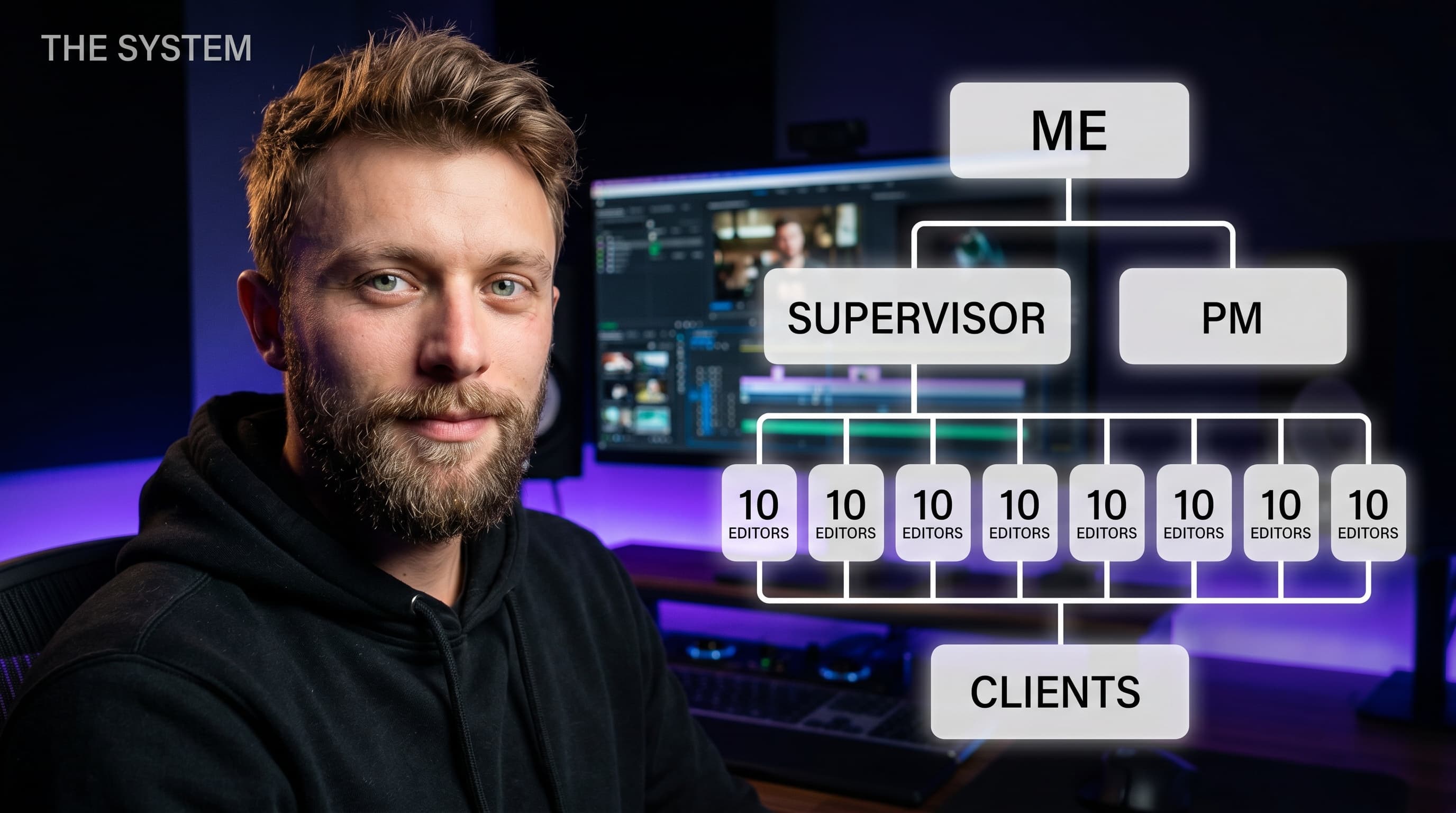
Every agency owner I talk to hits the same wall around the same size. Clients want more volume, and the only lever anyone knows is another editor. That's a salary, a month of onboarding, and a new person who doesn't yet know that this client hates jump cuts. Hiring adds capacity. It doesn't fix the leak, so the new editor leaks too.
Where the hours actually go
Before changing anything, do this for one week: have one editor log every hour as either editing or around editing. Around editing is everything that isn't making the cut better: finding assets, asking what a note meant, re-exporting, uploading, messaging the client that v3 is ready. Most teams are surprised by the split. Whatever yours is, that second bucket is your free capacity.
Revisions are the biggest single piece of it. Here's an illustrative example, with made-up but reasonable inputs: an editor delivering 20 videos a month, 3 revision rounds each, about 1 hour per round once you count the fix, the re-export, the upload and the message. That's 60 hours a month on revisions. Every round you avoid, because the client's notes arrive pinned to the exact frame, in one place, the first time, is an hour back: one round fewer per video in that example is 20 hours a month, before AI does any editing at all.
The rest comes from coordination and from letting AI do the mechanical edit work. Measure your own week first so you know what you're improving.
The AI editing workflow, stage by stage
1. Script and brief, on the project
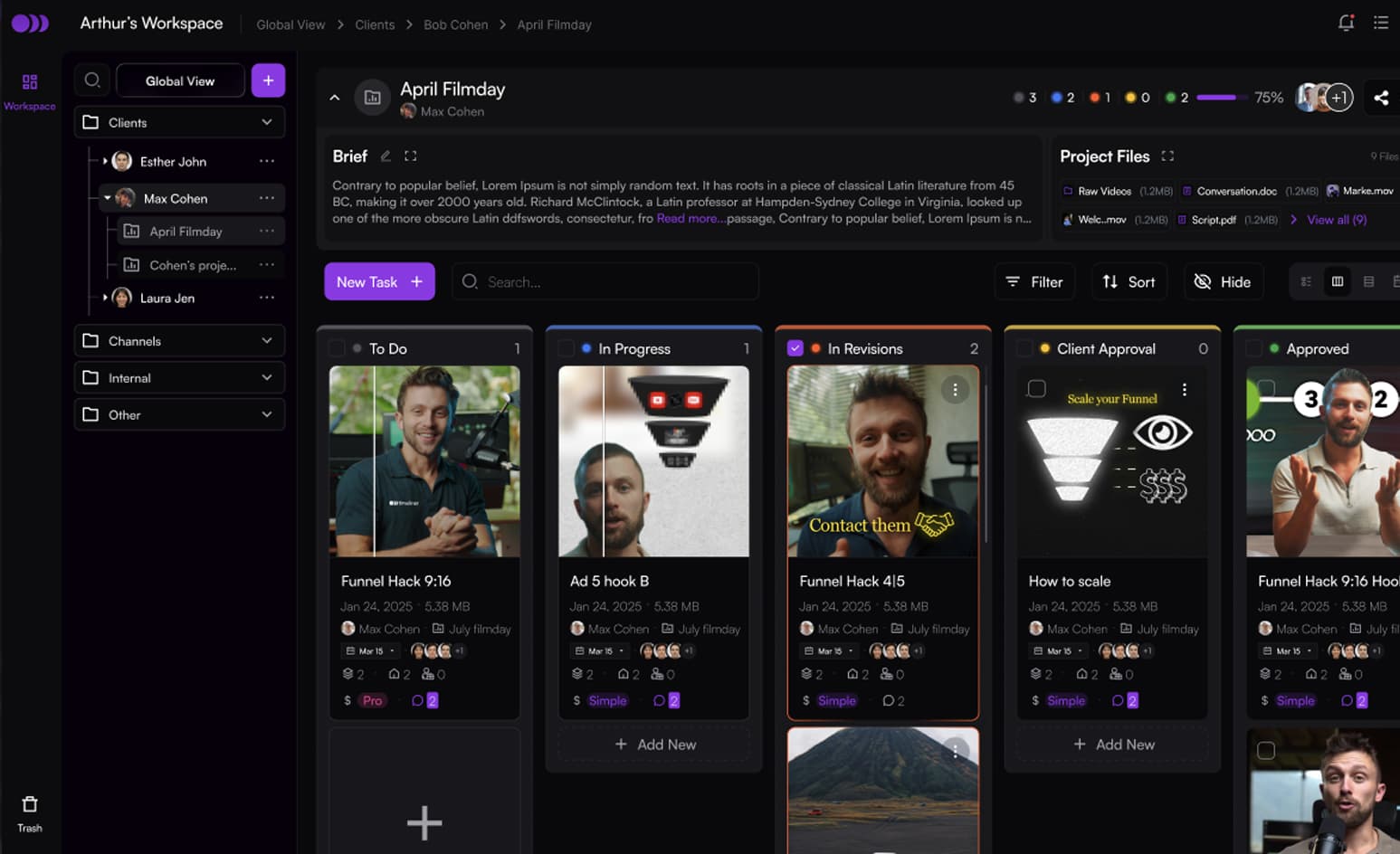
The brief and the script live on the project, not in an email thread, so the editor, the AI and the client read the same version. Draft the script with ChatGPT or Claude if you like; they're good at it. (I wrote about what chatbots can and can't do for video separately.) What matters is where the final version lives.
2. Footage in storage that can take it
Raw footage goes into the same workspace as the task. No per-file size cap, originals kept untouched next to streaming proxies, resumable uploads so a dropped connection doesn't restart a 40 GB file. No more “which Drive folder was it in”.
3. AI QC on every version
Before a human looks at it, AI QC checks the cut: captions against the speech, names, links, prices, dates, banned words, the brief's asks, a late hook, black frames and dead air. The full list is in our AI video QC checklist. Mechanical mistakes get fixed before they cost a client round.
4. Human review for what matters
Your supervisor reviews with time-coded comments, drawings and voice notes, and spends that time on story and pacing, because the proofreading is done. Team comments stay internal unless someone makes them public.
5. AI editing applies the notes
This is the stage that changes the economics. AI video editing reads the brief and the time-coded notes, applies them, cuts in B-roll, grades with skin tones protected, mixes licensed music and SFX under the voice, runs AI QC again, and uploads the result as the next version. Your editor polishes it in Timeliner or round-trips it to Premiere Pro or DaVinci Resolve. The editor stops being the person who executes fourteen small notes and becomes the person who makes the cut good.
6. Version compare
Every upload stacks on the same task. Compare v2 against v1, or any earlier version, with the old comments overlaid on the new cut so you can tick each note off at its timecode. Nobody re-watches the whole video to find out whether the logo moved.
7. The client portal
The client reviews and approves in a branded portal from a magic link, with no account and no password. Clients are free and unlimited on every plan, so nobody rations who gets to look. They only see versions you sent them.
8. Schedule and post from the same task
An approved video goes straight into the content calendar and publishes to Instagram, Facebook, YouTube and LinkedIn from the task it was edited in. AI drafts the caption, title and tags per network. Only an approved post can publish, so nothing goes out unapproved.
9. Analytics against the project
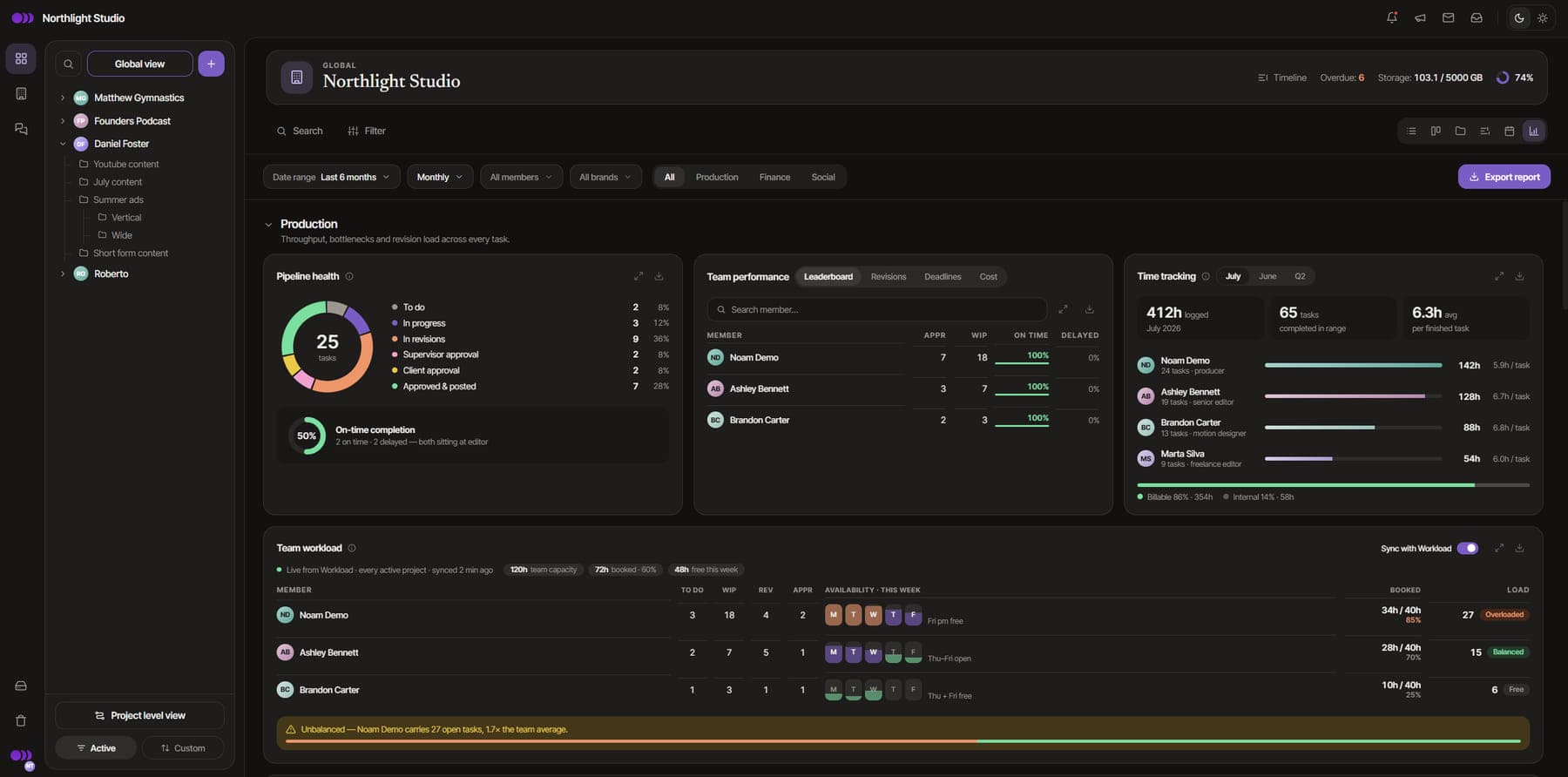
Views, likes, comments, shares and saves come back per post, per brand and per network, attached to the project the video came from, and team analytics show where your production time goes.
10. The Brand Brain closes the loop
Everything above feeds the Brand Brain: how each brand spells its names, its links, the words it bans, its style, learned from its videos and from what your team marks on findings. The next brief, the next QC run and the next AI edit start from that, which is why the tenth video for a client should need fewer notes than the first.
Why this beats hiring, and when it doesn't
An extra editor adds hours. This workflow removes the hours each video wastes, for every editor you already have, and the gain compounds as the Brand Brain learns each client. It also means you hire later, and when you do, the new person walks into a system instead of tribal knowledge.
It doesn't replace hiring forever. If your editors are already spending nearly all their time on actual editing, you're at real capacity and you need people. Measure first. Our capacity planning guide shows how to tell the difference, and how to hire a video editor covers the day you do.
Try the whole flow free
The Free plan runs for 30 days with 2 members, 2 brands with 2 projects each, and 30 GB of storage. It includes AI editing and AI QC on starter credits, so you can run real client work through every stage above. Posting runs in demo mode, so you see the calendar and the publish step without anything going live. Paid plans and their AI credits are on the pricing page.