Skip to content
4.8/5 on G2 · Trusted by 470+ video teams worldwide

From approved to posted - on schedule

Every approved deliverable has one more step: getting posted. Plan every client's posts on one calendar, collect their sign-off from the share link they already use, and let Timeliner publish on schedule.

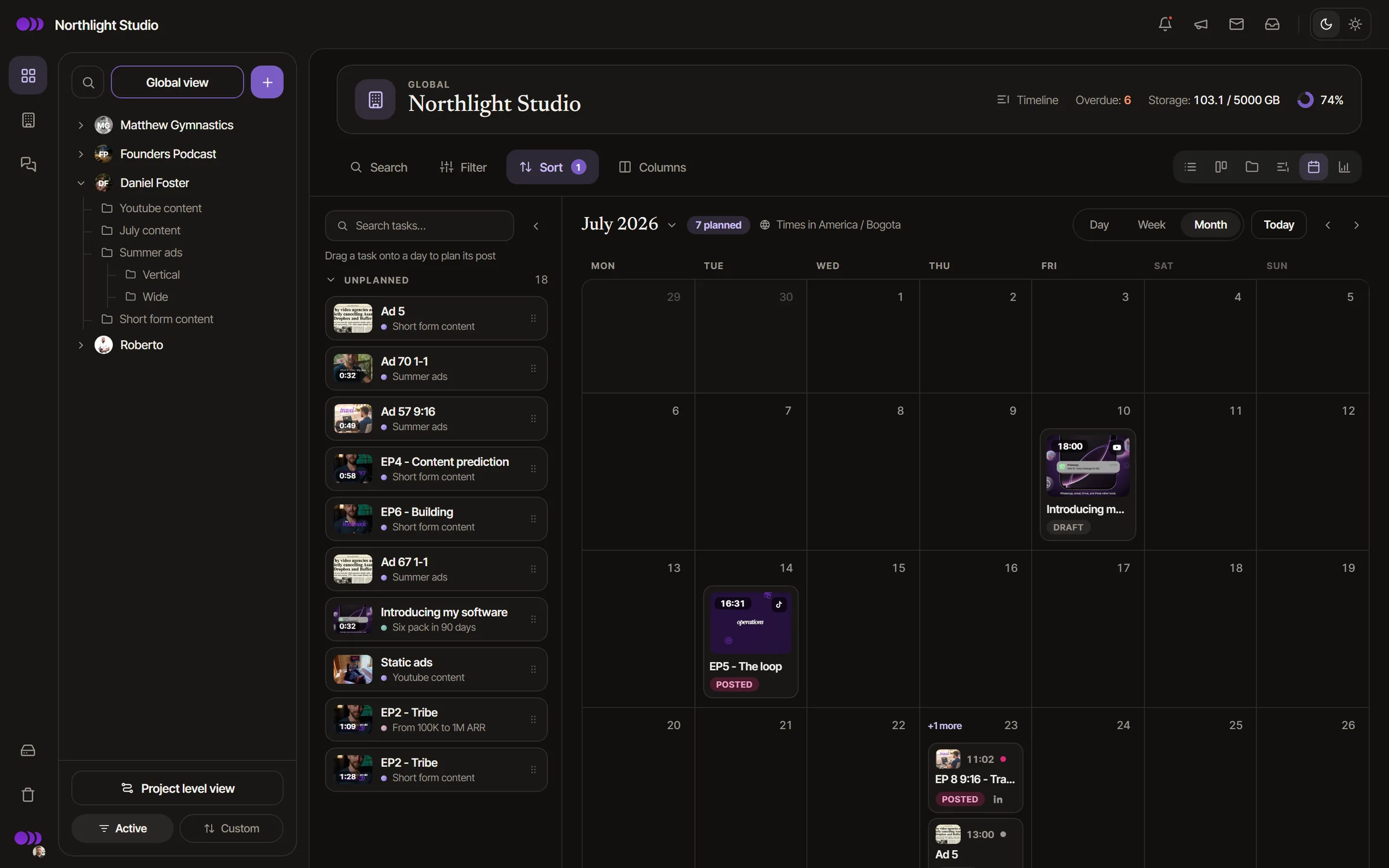
Timeliner content calendar: a month of scheduled and posted videos for one studio
  • Solar on Steroids
  • Avengr
  • Short Form Media
  • Inside Business Today
  • Thursday Labs
  • VisionX Media
  • Your Social Currency
  • BoostPlan
  • The Zone Podcast
  • Content Titan

Plan

Every brand's posting plan, one calendar

Drag deliverables onto a month, week or day view - per brand, per project, or across every client at once.

  • Month, week & day viewsZoom from the quarter's plan down to a single day's queue without losing context.
  • Per-brand or all clientsPlan one client's month, or see every account's schedule side by side.
  • Drag to rescheduleMove a planned post to a new day and its posting time follows. Posted ones stay where they went live.
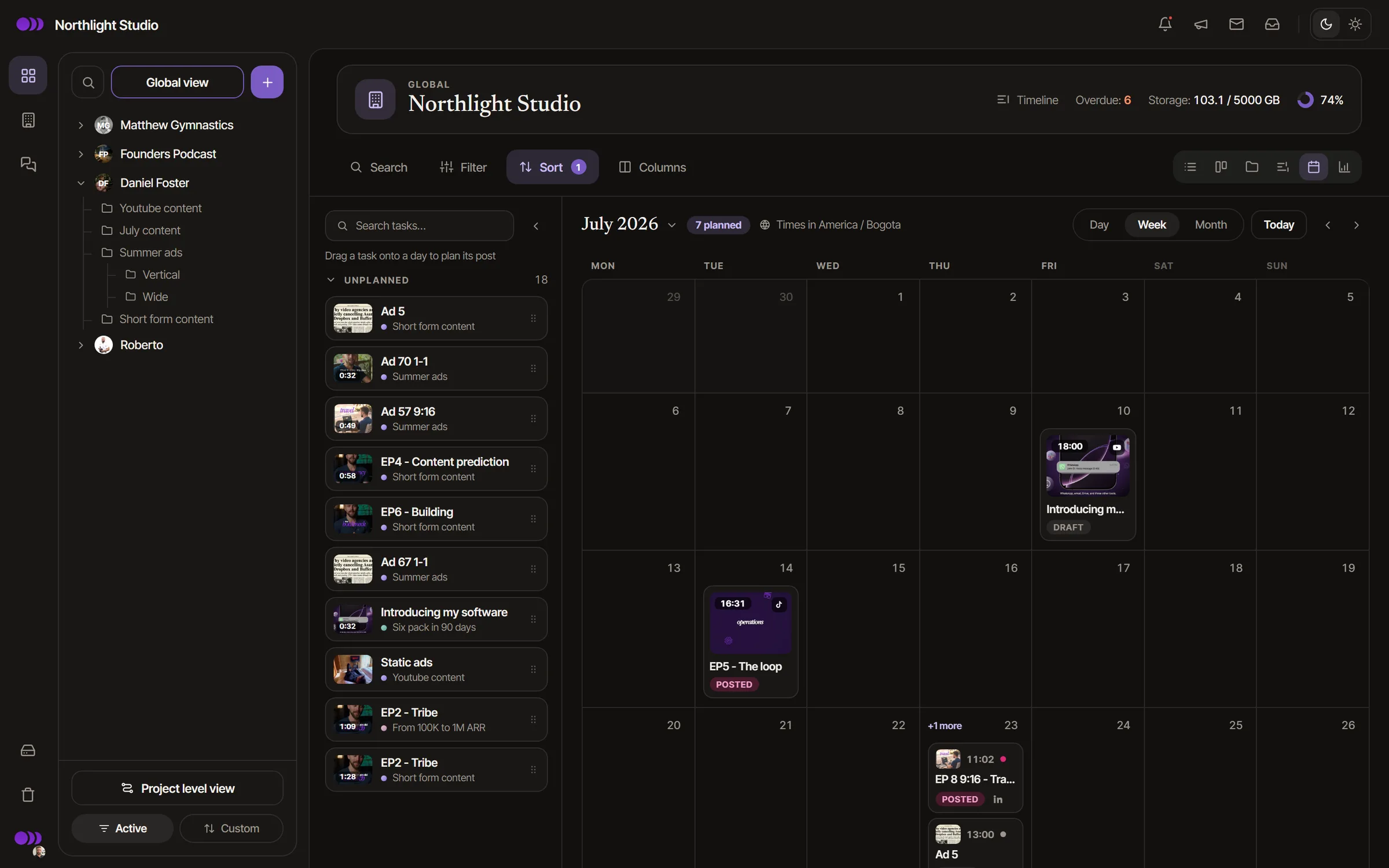
Timeliner calendar in week view, with the backlog of unscheduled tasks beside it

Compose

Compose once, publish everywhere

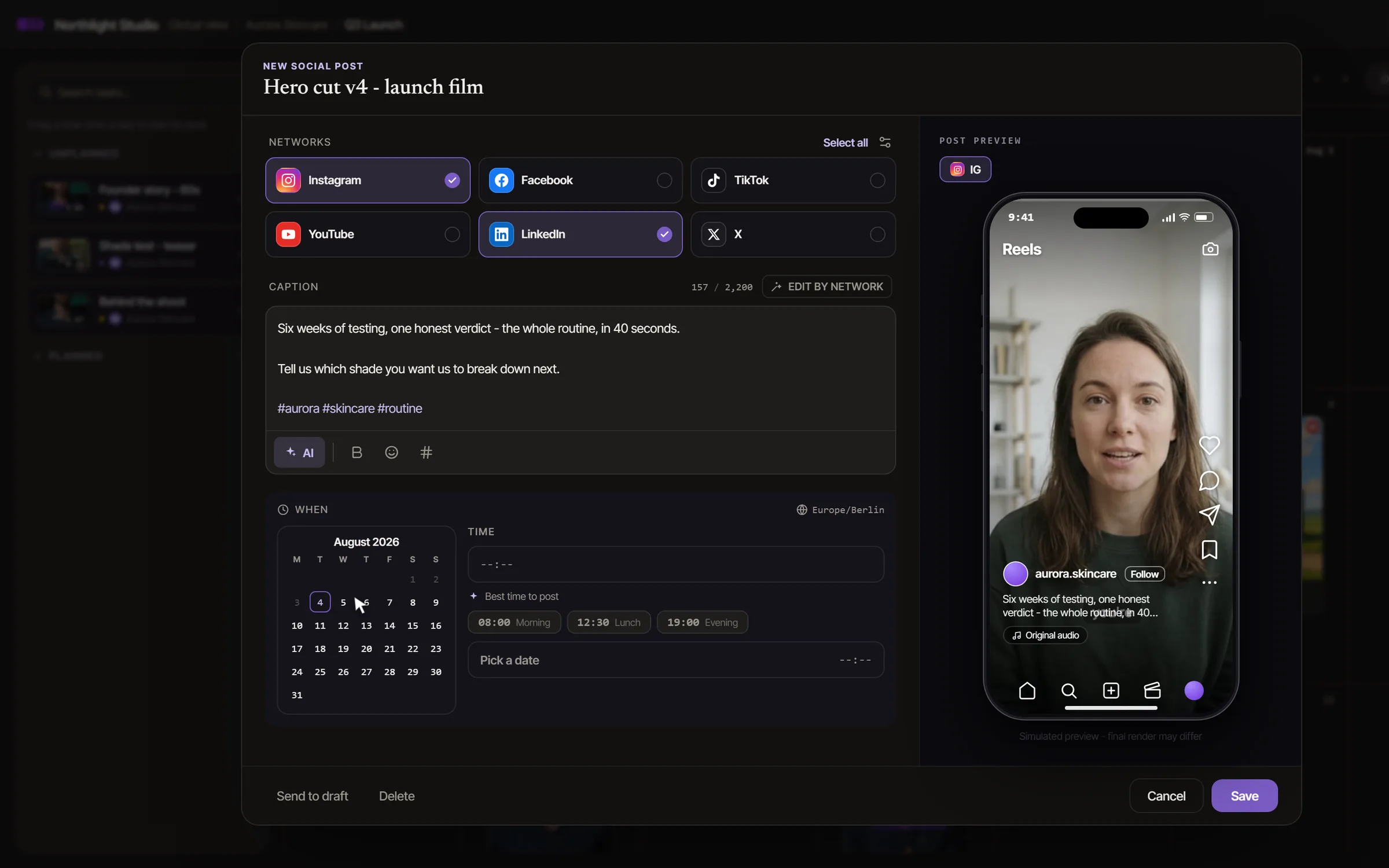
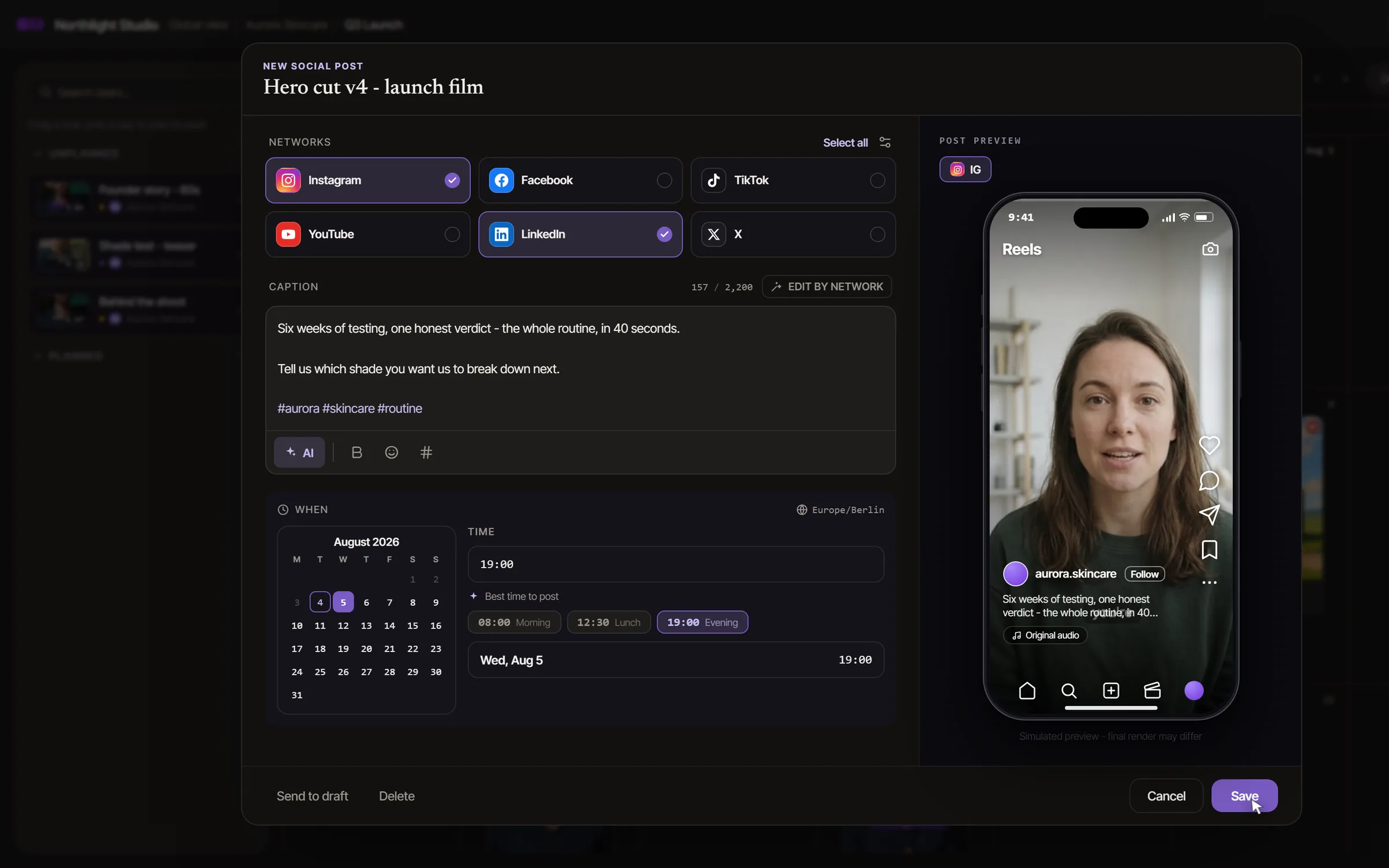
One post, every network - a shared caption with per-platform control and a live phone preview.

  • Per-network overridesA punchier TikTok hook, a longer YouTube description - tune each network without duplicating the post.
  • Platform options built inYouTube title, tags & Shorts, Instagram feed, reel or story, TikTok settings - all set from one composer.
  • Hashtag groups & previewSave hashtag sets per brand and check the result on a live phone preview before it ships.
Timeliner's social post composer: an approved cut with Instagram and LinkedIn ticked among Instagram, Facebook, TikTok, YouTube, LinkedIn and X, a caption written, the posting day being picked and a phone preview of the Reel

Client sign-off

No post goes out without a yes

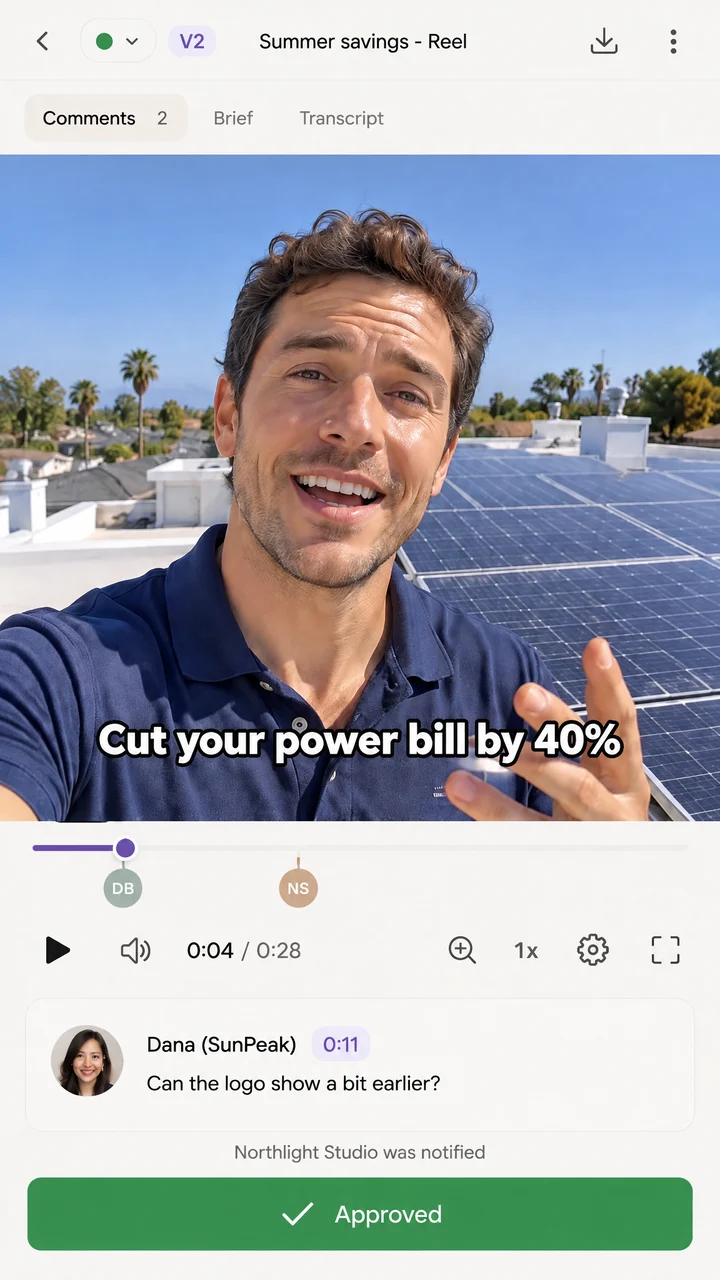
Approval is built into the same share link clients already review with - an unapproved post is held, never published.

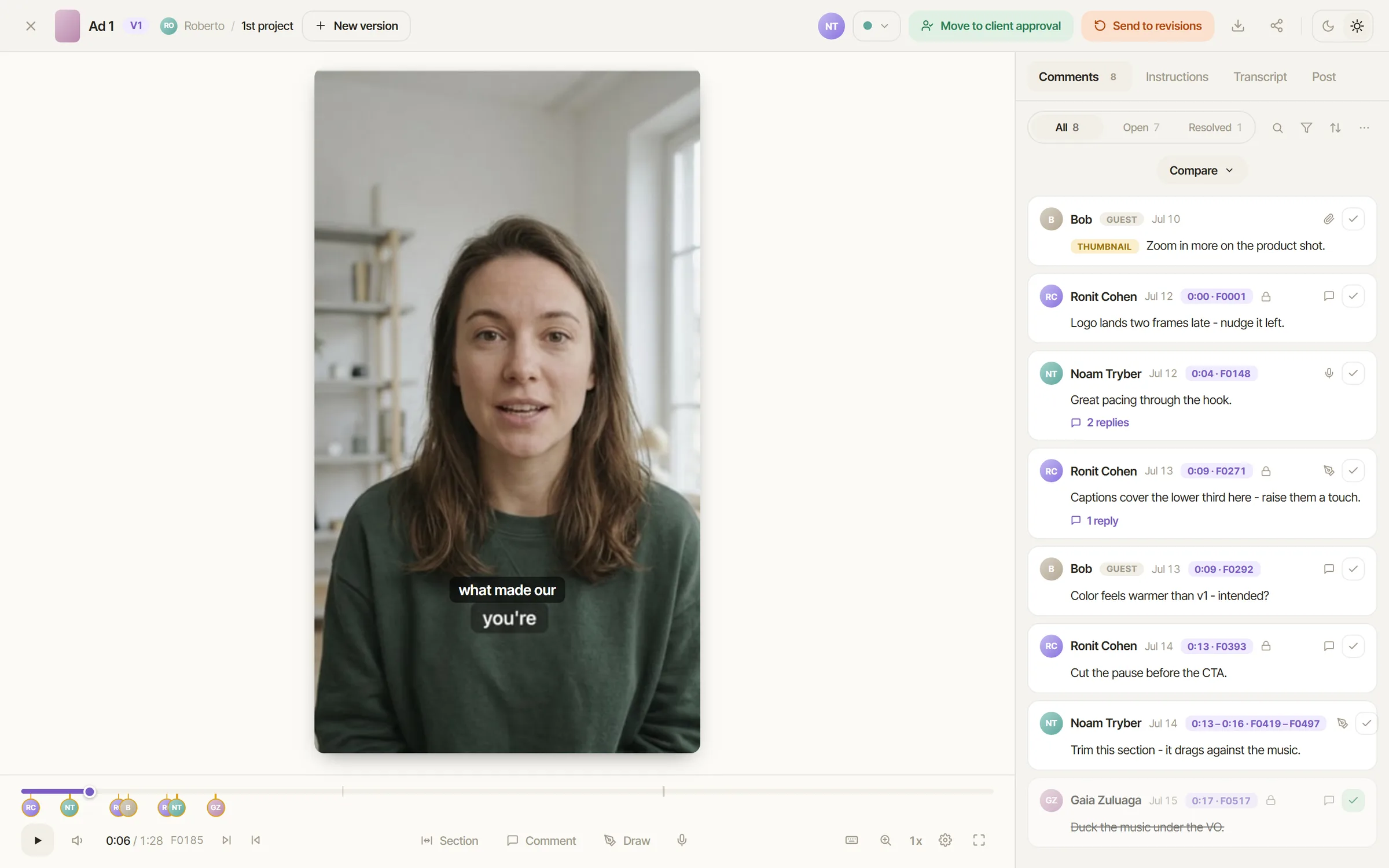
  • Approve from the share linkClients sign off on the caption, thumbnail and timing right where they review - no new tool to learn.
  • Held until approvedScheduled but not signed off? Timeliner holds it. Nothing publishes without approval.
  • Clients connect their own accountsA no-login invite link connects their socials - no passwords changing hands.
A deliverable marked approved in the client's portal on a phone

Auto-publish & report

Timeliner hits publish - and reports back

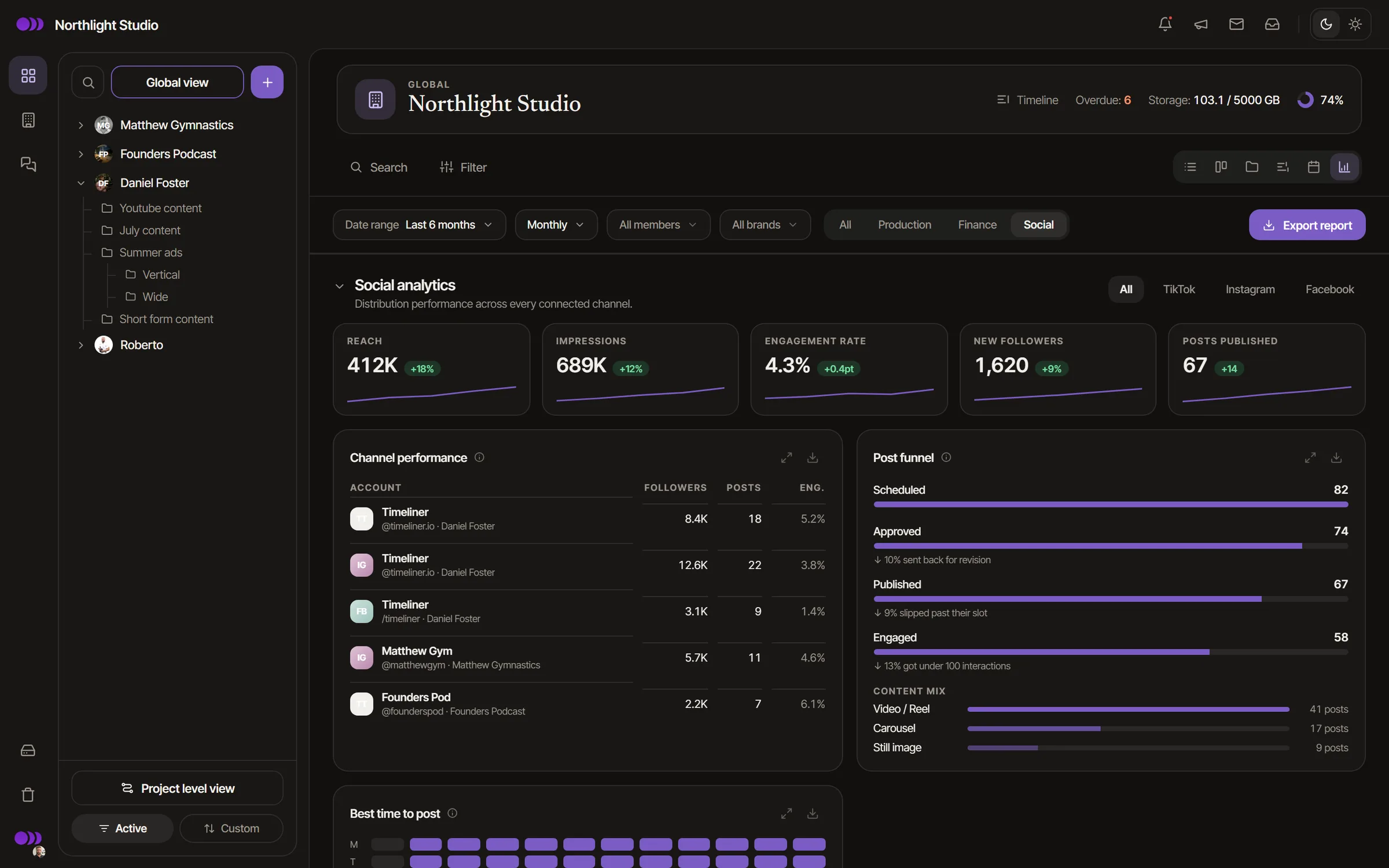
When the scheduled time comes, the approved post goes out on its own. Then the numbers come home: a per-brand report of what actually worked.

  • Live on Instagram, Facebook, TikTok, YouTube, LinkedIn & XApproved posts publish automatically at their scheduled time.
  • Threads is nextComing soonIt already shows in the post composer, marked as coming soon.
  • Analytics & reportingViews, engagement, audience growth and top posts per brand, on Instagram, Facebook and YouTube today, with PDF and CSV export for the client.
Timeliner social analytics: views, engagement and followers per channel, and the best-performing posts

In practice

An approved cut, posted.

  1. The cut is approved.It is ready to schedule on the brand's calendar.
  2. Write one caption.AI drafts it in the brand's voice, and you adjust it per network.
  3. The client signs off the post.In the same share link they reviewed the video in.
  4. Timeliner publishes on time.To Instagram, Facebook, TikTok, YouTube and LinkedIn, then reports back per brand.

From a customer

“Timeliner replaced ClickUp + Frame.io + Metricool for us. The client experience is night-and-day better, and running operations for my 30+ editors and designers is finally easy - every project, approval and handoff in one place instead of scattered across tools.”
Zoli HonigFounder, shortformmedia.co

Also included

  • AI-drafted captions

    Your AI writes the copy straight into the composer via the Timeliner MCP & API.

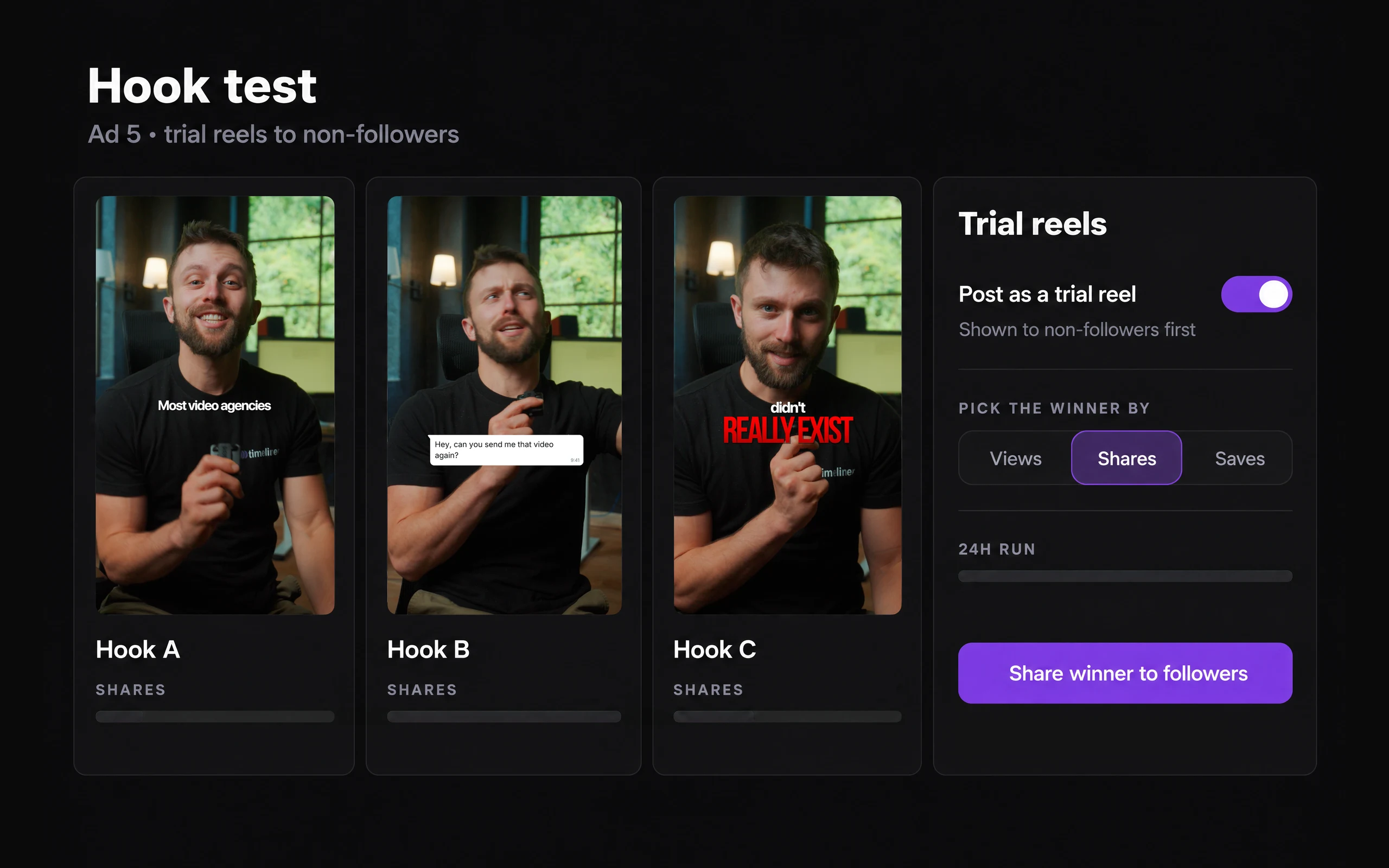
  • Instagram Trial Reels

    Post a Reel to non-followers first and share only the hook that works.

  • Captions in each brand's voice

    Set a brand's tone and hashtag rules once - every AI caption follows them.

  • Live phone preview

    See the post as followers will - before it ships.

  • Visible in the portal

    The posting plan shows on brand share links, so clients always know what's going out.

  • Safe by design

    AI can draft but never publish - an edited approved caption goes back for re-review.

Security

Client work stays private.

How we protect your work
  • Encrypted at rest and in transit

    Files are encrypted with AES-256 at rest and travel over HTTPS.

  • Roles down to one project

    Team roles and client roles decide what each person can do, per brand or per project.

  • Share links you control

    Set a link to expire, add a passcode, or switch it off at any time.

  • Downloads after approval

    Decide whether a client can download a cut before they approve it.

  • Review watermarks

    Show your logo or a line like "For review only" over every preview.

  • Two-step sign-in

    Authenticator-app sign-in with backup codes, and you can require it for your whole team.

  • Activity log

    Approvals, uploads, share links and role changes are recorded in the workspace.

  • SOC 2 in progress

    Our SOC 2 program is under way. We are not certified yet, and we publish where the audit stands.

Frequently asked questions

More questions

Instagram, Facebook, TikTok, YouTube, LinkedIn and X publish automatically at the time you set. Facebook Reels and Stories, LinkedIn company pages and Threads are coming soon and already show in the composer.

Right from their share link - they sign off on the caption, thumbnail and timing. An unapproved post is held and never published.

No. Clients connect their own accounts through a no-login invite link - no passwords change hands, and access can be revoked anytime.

Yes. Any AI connected through the Timeliner MCP or API can draft the shared caption or per-network versions straight into the composer. AI can never schedule or publish - and if a client already approved a caption, an AI edit sends it back for re-review.

Yes. Views, engagement, audience growth and top posts come back per post, per channel and per brand for Instagram, Facebook and YouTube, with PDF and CSV export. LinkedIn and TikTok analytics are coming.

Run your agency in one place.

Briefs, edits, approvals, posting and invoices in one place clients actually use.

No charge until day 15

Full walkthrough with Noam · 15 min